
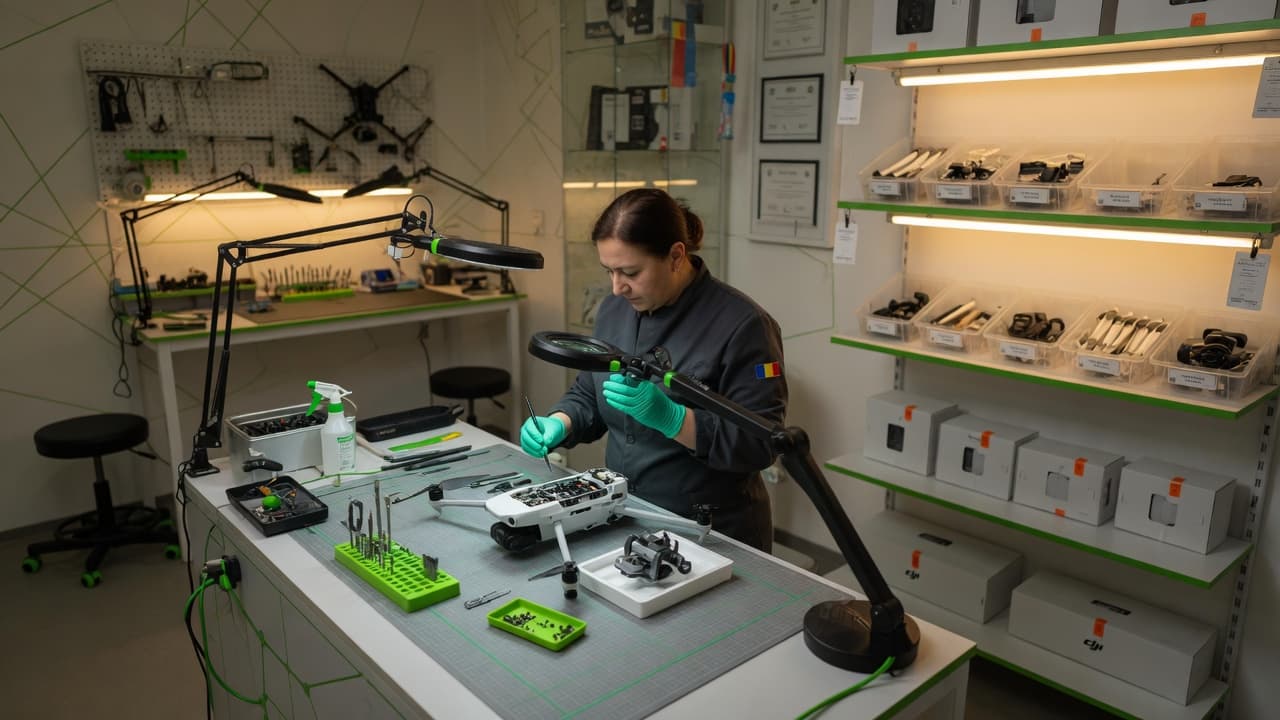
DJI gimbal error
DJI Gimbal Errors: What Every Message Means and What You Can Fix at Home
DJI gimbal error? "Gimbal Motor Overload," "Gimbal Stuck," or the camera just sits crooked with no message at all — we explain what each one means, what to check at home in 2 minutes, and when it's clearly hardware.
★ 5.0 from 187 reviews · 3,500+ DJI repairs completed · Warranty up to 24 months
· 11 min
Free diagnostic · Free shipping · No obligation
The DJI gimbal error table: from Gimbal Motor Overload to a crooked gimbal with no message
A DJI gimbal error can mean anything, from a clear message on screen to a camera that simply sits crooked with no notification at all. At our DJI gimbal repair service we see dozens of gimbals every month, and in the vast majority of cases the real cause is simple: an accident — a fall, a rough landing, or careless shipping, not firmware.
Find the exact message you're seeing in DJI Fly or DJI Pilot below and click it to jump straight to the detailed explanation — what it means, what you can check yourself, and when it's clearly hardware.
| Error message (DJI Fly / Pilot) | What it means | Can you fix it at home? | What we do |
|---|---|---|---|
| Gimbal Motor Overloaded — code 40003 | The motor is hitting mechanical resistance it can't overcome | Sometimes — if it's just the protector | We check the motor, axis, and flex cable |
| Gimbal Stuck — code 40002 | The gimbal is physically blocked, doesn't move at all | Rarely — only if the arms were folded | Disassembly and mechanical inspection |
| Gimbal IMU Data Error — code 40021 | The IMU sensor is sending incorrect data, usually mid-flight | Sometimes — IMU + gimbal calibration | Advanced recalibration or a new sensor |
| Aircraft Gimbal Moving Erratically | The gimbal moves on its own, with no input | Rarely | Motor and flex cable inspection |
| Aircraft Gimbal Skewed / gimbal tilted to one side | The camera sits visibly tilted, with or without an error | Yes, often — calibration | Calibration or axis replacement |
| Calibration keeps failing | Auto-calibration never succeeds | Sometimes — if you haven't calibrated the IMU first | Axis and motor diagnostic |
| Gimbal vibrates | Not a separate code — a symptom of Overload/Erratic | Rarely | Motor and damper inspection |
Officially confirmed DJI codes: 40002 (Gimbal Stuck), 40003 (Gimbal Motor Overloaded), 40021 (Gimbal IMU Data Error). The other messages have no officially documented numeric code.
Gimbal Motor Overload (code 40003) — what you see and what's happening physically
DJI Fly shows "Gimbal motor overloaded" and tells you to check whether the gimbal rotates freely — the message most often tied to gimbal motor overload. It can also appear if you push the sticks too aggressively in Sport mode, not only from a fault.
Physically, the gimbal's brushless motor is sensing resistance it can't overcome — a bent flex cable, dust on the axis, an axis knocked in an impact, or simply the transport protector still attached.
- 2 min — remove the gimbal protector and lens cap. The #1 cause on freshly unboxed drones.
- 2 min — check whether you've mounted an ND filter or a third-party lens that mechanically blocks rotation.
- 10 min — fully restart the drone and run an IMU + gimbal calibration (see the guide below).
- Stop — if the error returns immediately, with no protector or accessories attached, don't push further. That's a hardware sign.
Free diagnostic · Quote before any repair
Gimbal Stuck (code 40002) — the gimbal doesn't move at all on power-on
DJI Fly shows "Gimbal stuck" when you power on the motors, and the camera stays completely still, without the normal "wake-up" motion you see on every startup.
The gimbal is mechanically blocked, not electronically. Most often, the arms were still folded or the transport protector was still attached. On Avata it also shows up frequently after impact, when the gimbal's rubber dampers shift out of position. If the drone doesn't power on at all, the problem is different — see DJI drone won't fly.
- 2 min — power off, fully unfold the arms, and remove any protector left over from the box.
- 10 min — restart and run the automatic gimbal calibration in DJI Fly.
- Stop — if it stays rigid or only moves when forced by hand, don't push mechanically. That's hardware.
ESD-safe disassembly · Genuine DJI parts
Gimbal IMU Data Error (code 40021) — not the same thing as overload
The official DJI message is "Gimbal IMU data error. Contact DJI Support for assistance," usually appearing mid-flight. Code 40021 is real and documented by DJI, but it means an IMU sensor data error, not mechanical motor resistance.
After an impact, the gimbal and its IMU can be affected at the same time. If the drone recently went into water, check the mainboard too — see DJI mainboard service and our drone in water guide.
- 2 min — remove the microSD card before calibrating (DJI's official recommendation for this code).
- 10 min — calibrate the IMU, fully restart, then calibrate the gimbal separately.
- Stop — if the error returns mid-flight after a correct calibration, the sensor or its flex cable is physically affected.
Aircraft Gimbal Moving Erratically — the gimbal moves on its own
The "Aircraft gimbal moving erratically" message appears when the camera makes sudden, uncommanded movements, sometimes even with the drone sitting still on a table. DJI ties this to either an abnormal position detected during self-check, or a direct hardware fault — the gimbal control board getting false sensor signals, or the motor responding erratically because of an unstable flex-cable connection.
- 2 min — fully restart the drone; many cases are a one-off self-check error that clears on restart.
- 10 min — run a full IMU + gimbal calibration, with the drone still on a stable surface.
- Stop — if the erratic movement continues after calibration, that's a hardware sign.
Gimbal tilted to one side or sitting crooked — with and without an error message
These are actually two different situations: if the drone is powered off and the camera visibly hangs to one side with no message on screen, that's normal — the gimbal has no active motors holding it level when it's off. It's not an error, it's gravity.
If the drone is powered on and the horizon stays visibly tilted, or DJI Fly explicitly shows "Aircraft gimbal skewed," that's a real issue — power-on on an uneven surface, a knock during transport, or a hardware fault.
- 2 min — check whether the drone was powered on on a perfectly level surface, not a soft case.
- 10 min — calibrate the IMU, restart, then calibrate the gimbal separately (order matters — see the guide below).
- 10 min — if the horizon is still slightly off, use the manual fine-tune adjustment, in 0.1° steps.
- Stop — if none of the above straightens the horizon, the gimbal axis is likely slightly bent. No calibration fixes that.
Gimbal won't calibrate — why auto-calibration keeps failing
When auto-calibration keeps failing, it's usually not the gimbal's fault. The most frequent causes, in order:
- You skipped the IMU calibration — the gimbal calibrates relative to what the drone "thinks" is level. Without a correct IMU, the gimbal calibration starts wrong, even if the process says "successful."
- Uneven surface or wind — any movement of the drone during the 15–30 second process invalidates the calibration.
- A protector still attached — an ND filter or transport case can mechanically block the test.
- A physically bent axis — if you've ruled out the other causes and it keeps failing the exact same way, the axis is deformed. No software calibration fixes that.
Gimbal vibrates — a symptom, not a separate error code
"Gimbal vibrates" isn't a distinct message in DJI Fly — there's no official DJI code just for vibration. It is a real symptom though, usually alongside Overload or Moving Erratically. Most often, a worn or slightly unbalanced gimbal motor vibrates visibly in the image (jitter), especially at zoom; the second common cause is the rubber dampers between the gimbal and the body hardening or partially detaching.
- 2 min — visually check the rubber dampers between the gimbal and the drone body.
- 10 min — calibrate the gimbal and test on the ground, without propellers, if the vibration persists off-flight.
- Stop — vibration only at optical zoom or only on one axis is almost always a worn motor or bearing. Calibration won't fix it.
What you should NEVER do with a stuck gimbal
We've seen gimbals arrive with extra damage caused by the pilot trying to "fix" them at home. Three mistakes to avoid:
- Don't force the axes by hand — if the gimbal is blocked, don't "help" it by pushing with your finger. The brushless motors and fine gears can snap permanently from a single rough motion.
- Don't open the housing without ESD tools — the gimbal control board and the IMU sensor are sensitive to static discharge, which can silently fry components that looked fine.
- Don't keep recalibrating a bent axis — if it's failed identically 2-3 times, stop. Every failed attempt on a physically deformed axis risks misaligning the sensors further, not fixing anything.
Gimbal calibration step by step — and why it fails
The most common mistake we see from pilots writing us "I've calibrated 5 times and it still doesn't work" is the order: they calibrate the gimbal directly, without calibrating the drone's IMU first. The gimbal orients itself relative to what the drone "thinks" is level zero — if the IMU is wrong, the gimbal calibration starts off false.
- Place the drone on a perfectly level surface, with no gimbal protector attached.
- Calibrate the IMU from Aircraft settings → Control → IMU Calibration.
- Fully restart the drone — power off, remove the battery for 10 seconds, reinsert it.
- Run the automatic gimbal calibration (Camera settings → Gimbal Auto Calibration).
- Check the horizon against the DJI Fly grid; fine-tune if it's slightly off.
- If it fails identically 2-3 times, stop — it's almost certainly hardware.
Gimbal motor overload: the one error where landing immediately matters
Of all the gimbal errors, gimbal motor overload is the only one where what you do in the following seconds actually matters, if it appears mid-flight. The gimbal's brushless motor is small and isn't built to work constantly against mechanical resistance — keep flying with the error active and you risk burning it out completely, turning a flex-cable repair (from 300 lei) into a whole new gimbal assembly (from 450-500 lei).
If you see the message in flight: land under control as soon as safely possible. Don't keep filming "to see if it clears." On the ground, power off completely — a gimbal trying to stabilize against unresolved resistance keeps drawing on the motor even while visually still, because the electronics keep pushing against the blockage.
Fill in the form, we reply on WhatsApp within a few hours
How the problem differs on Mini vs Mavic vs Avata
The gimbal's physical build differs enough between series that the same error has different causes depending on the model.
- Mini series (Mini 3/4/5 Pro, Flip) — a drone under 250g, with thin plastic arms and an exposed gimbal. On the smallest landing knock, the flex cable is the first thing to fail — the most common repair on Mini.
- Air / Mavic series (Air 2S/3/3S, Mavic 3/4 Pro) — a 3-axis gimbal, mechanically sturdier, but with more complex camera modules. Air 3 and 3S have a dual-camera gimbal, so an error can affect just one camera, and calibration must be done separately for each module.
- Avata / Avata 2 (FPV) — a single mechanical axis (tilt only); rotation is compensated electronically (EIS). High-speed impacts during aggressive flying often shift the dampers, which makes Gimbal Stuck one of the most common errors here. Avata has no manual fine-tune — a crooked horizon after calibration almost always means hardware.
- Lito X1 — similarly rugged to Mini/Air; a 3-axis gimbal and 48MP camera module react the same way to impact.
Conclusion — don't keep fighting a gimbal error that won't clear
If you've gone through the 2- and 10-minute checks in the section matching your message and the DJI gimbal error returns identically every time, stop trying at home. Repeated recalibration doesn't fix a torn flex cable or a bent axis.
At DroneDoctor we've completed over 3,500 DJI repairs, a significant share of them gimbals. Diagnostic and shipping are free, we use only genuine DJI parts, and warranty runs up to 24 months. For prevention, see our DJI drone maintenance guide too.
2-minute form · Free shipping · No obligation
Need Service?
Send your drone for free